Author: admin

  • Understanding IT Networking: Integration of Cabling, Components, and Redundancy

    Understanding IT Networking: Integration of Cabling, Components, and Redundancy

    In today’s digital landscape, effective IT networking is crucial for businesses. A well-structured network not only facilitates communication and data transfer but also ensures high availability and reliability. This blog delves into the intricate components of IT networking, focusing on structured cabling, active networking components, endpoint devices, and the essential role of redundancy in maintaining uptime.

    Structured Cabling: The Backbone of Networking

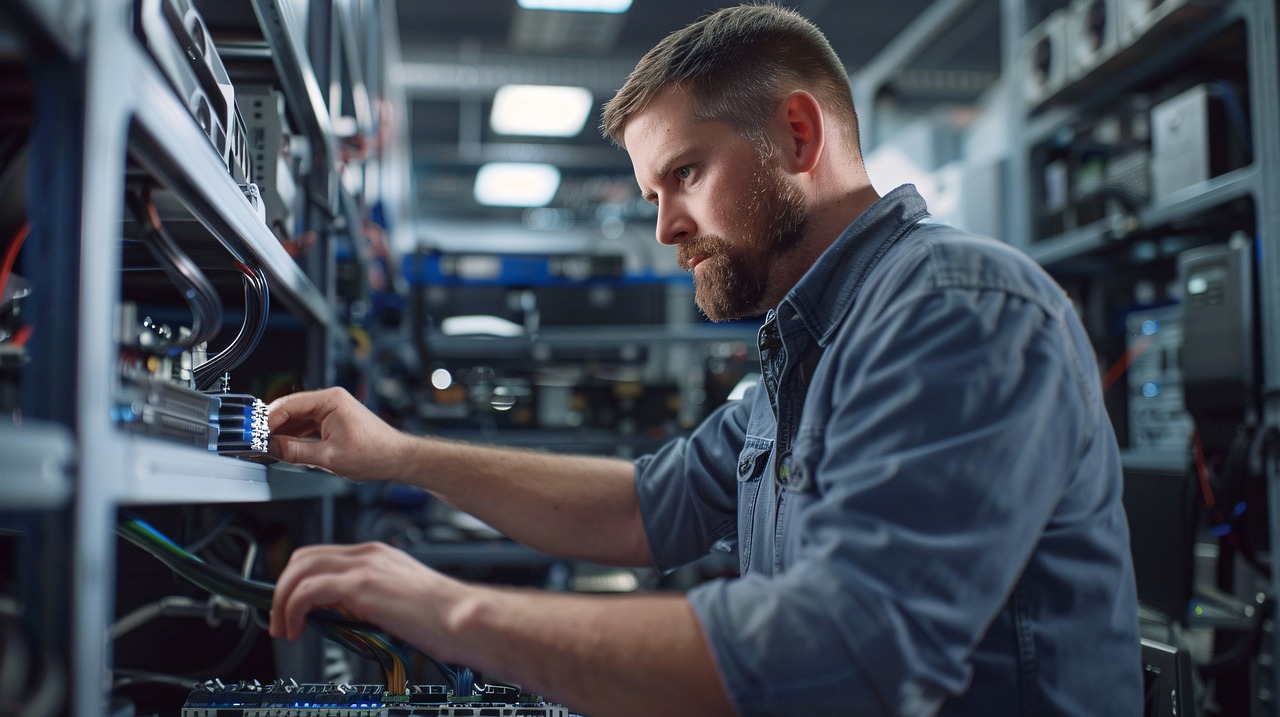
    Structured cabling serves as the foundation of any robust network infrastructure. It involves a standardized system of cables and connectivity products that support multiple hardware uses and management systems. Properly designed structured cabling can significantly enhance network performance and reliability.

    Key Components of Structured Cabling

    Cabling Types:

    Twisted Pair Cables: Commonly used for Ethernet connections, twisted pair cables (e.g., Cat5e, Cat6) are the most prevalent in structured cabling systems. They offer good performance for both voice and data transmission.

    Fiber Optic Cables: For high-speed data transmission over long distances, fiber optic cables are preferred. They provide higher bandwidth and are immune to electromagnetic interference (EMI), making them ideal for backbone connections between switches and servers.

    Patch Panels: Patch panels organize and manage cable connections within a network. They allow for easy reconfiguration and troubleshooting, ensuring that changes to the network can be made without extensive downtime.

    Racks and Enclosures: Network racks house switches, routers, and other active components. Proper organization within these racks is crucial for airflow management and ease of maintenance.

    Cable Management Systems: Effective cable management prevents tangling and damage while facilitating airflow around equipment. This is vital for maintaining optimal operating temperatures in network environments.

    Active Networking Components

    Active networking components are essential for data transmission across the network. These devices manage traffic flow, connect different segments of the network, and ensure efficient communication between endpoint devices.

    Key Active Components

    Switches:

    Layer 1 Switches: Also known as physical layer switches, these devices operate at the OSI model’s first layer. They handle basic data transmission without any packet filtering or routing capabilities.

    Layer 2 Switches: These data link layer switches manage traffic based on MAC addresses. They provide functions such as VLAN segmentation and broadcast domain management.

    Layer 3 Switches: Operating at the network layer, Layer 3 switches can perform routing functions in addition to switching. They enable inter-VLAN routing and are crucial for larger networks where multiple subnets exist.

    Routers: Routers connect different networks together, directing data packets based on IP addresses. They play a critical role in managing traffic between local networks and the internet.

    Firewalls: Firewalls protect networks from unauthorized access by monitoring incoming and outgoing traffic based on predetermined security rules. They can be hardware-based or software-based.

    Access Points (APs): Wireless access points extend network connectivity to wireless devices. They connect to wired networks while allowing mobile devices to access network resources seamlessly.

    Endpoint Devices Endpoint devices are the final points of communication within a network where end users interact with applications and services.

    Common Endpoint Devices

    Computers and Laptops: These devices serve as primary workstations for users to access applications, communicate with colleagues, and perform various tasks.

    Mobile Devices: Smartphones and tablets have become integral to modern workplaces, allowing employees to stay connected while on the go.

    IoT Devices: Internet of Things (IoT) devices such as smart printers, cameras, and sensors contribute to a connected environment by providing real-time data collection and monitoring capabilities.

    Building Redundancy into the Network

    Redundancy is a critical aspect of network design that ensures continuous operation even during failures or outages. Implementing redundancy minimizes downtime and enhances overall network reliability.

    Types of Redundancy

    Hardware Redundancy: This involves duplicating critical hardware components such as servers, switches, and routers to prevent single points of failure. For example, deploying dual power supplies within servers ensures that if one fails, the other continues to provide power.

    Link Redundancy: Multiple physical links between devices ensure that if one connection fails, traffic can be rerouted through alternative paths. Techniques such as link aggregation combine multiple connections to increase bandwidth while providing redundancy.

    Geographic Redundancy: Distributing resources across different physical locations protects against localized failures such as natural disasters or power outages. For instance, having data centers in multiple geographic locations allows organizations to switch operations seamlessly if one site becomes unavailable.

    Configuring Network Components

    The integration of various networking components is essential for creating a cohesive infrastructure that supports redundancy while maintaining uptime.

    Configuration Overview

    Switch Integration:

    Layer 1 switches connect various segments of the network at a basic level.

    Layer 2 switches manage local area traffic through MAC address filtering.

    Layer 3 switches facilitate inter-VLAN communication by routing traffic based on IP addresses.

    Firewall Configuration:

    Firewalls should be configured in either active/standby or active/active modes to ensure continuous protection against threats while maintaining redundancy.

    Implementing stateful inspection allows firewalls to track active connections while applying security policies effectively.

    Wi-Fi Component Integration:

    Wireless access points should be strategically placed throughout an environment to ensure comprehensive coverage.

    Utilizing mesh networking technology allows multiple APs to work together seamlessly, providing redundancy in wireless connectivity.

    Ensuring Uptime Through Monitoring

    To maintain high availability within a network infrastructure, proactive monitoring is essential:

    Network Monitoring Tools: Implementing tools like SolarWinds or PRTG Network Monitor provides real-time visibility into network performance metrics such as bandwidth usage, latency, and device health.

    Regular Testing of Redundant Systems: Conducting routine failover tests ensures that backup systems activate correctly during actual failures.

    Maintenance Schedules: Establishing regular maintenance schedules for hardware checks helps identify potential issues before they lead to downtime.

    Conclusion

    In summary, effective IT networking relies on a well-structured approach that integrates structured cabling, active components like switches and routers, endpoint devices, and robust redundancy measures to ensure high availability and reliability. By understanding these elements’ roles within a network infrastructure, IT infrastructure managers can create resilient systems capable of supporting modern business demands while minimizing downtime risks.

    As organizations continue to evolve in an increasingly digital landscape, investing in these networking fundamentals will be crucial for maintaining competitive advantages through enhanced connectivity and operational efficiency


  • Transforming Collaboration and Learning with Cutting-Edge AV Solutions for businesses, education & Govt agencies

    Transforming Collaboration and Learning with Cutting-Edge AV Solutions for businesses, education & Govt agencies

    In today’s fast-paced world, the way organizations operate has dramatically evolved due to hybrid and remote working trends. Cutting-edge audio-visual (AV) solutions are at the forefront of this transformation, significantly enhancing collaboration and learning across businesses, educational institutions, and government agencies. This blog explores how these advanced AV systems facilitate team productivity and usher in a new wave of education through virtual and cloud-based collaboration platforms.A study by The Economist found that teams using collaborative tools reported a 25% improvement in communication efficiency.

    Businesses: Enhancing Collaboration and Productivity

    The Shift to Hybrid Work Environments

    The rise of hybrid work models has reshaped the corporate landscape, blending remote work flexibility with the benefits of in-person collaboration. Companies are increasingly adopting AV solutions to facilitate seamless communication among distributed teams. High-definition video conferencing tools, interactive displays, and collaborative software have become essential for maintaining productivity in this new environment.For example, PwC reported that 47% of organizations plan to redesign their office layouts by 2025 to better support hybrid teams.

    Seamless Communication and Collaboration

    Modern AV systems break down communication barriers, allowing employees to connect effortlessly regardless of their physical location. For instance, platforms like Zoom and Microsoft Teams have gained immense popularity for their ability to facilitate real-time interactions through high-quality video and audio. These tools enable teams to conduct meetings, brainstorm ideas, and share documents instantly, fostering a culture of collaboration that enhances overall productivity.

    Enhanced Presentation Capabilities

    In business settings where presentations are crucial, upgraded AV systems significantly improve the quality and impact of visual communications. Crystal-clear displays and superior audio capabilities captivate audiences during meetings and training sessions. For example, companies that utilize interactive touchscreens can engage participants more effectively, leading to better retention of information and increased engagement. This heightened engagement translates into improved productivity as employees feel more connected to their work.

    Flexibility in Operations

    The demand for adaptable AV solutions has surged as organizations navigate hybrid work setups. Upgraded AV systems support flexible arrangements by providing technology that accommodates both in-person and virtual participants seamlessly. This flexibility ensures that employees remain productive regardless of their work environment. For instance, companies can set up huddle rooms equipped with AV technology that allows small teams to collaborate efficiently without the need for large conference spaces.

    Real-World Example: Global Corporations

    Many global corporations have embraced AV solutions to enhance their operational efficiency. For example, multinational companies like IBM have integrated advanced AV technologies into their meeting rooms to facilitate seamless collaboration among teams spread across different continents. By utilizing high-quality video conferencing tools and interactive displays, IBM has successfully maintained productivity levels even as employees transitioned to remote work.For instance, companies like GitLab have reported a 30% increase in employee engagement through regular virtual gatherings that encourage informal interactions among staff.

    Education: Ushering in a New Wave of Learning

    The Rise of Virtual Learning Platforms

    Educational institutions have also undergone a significant transformation due to the integration of cutting-edge AV solutions. The shift towards online learning has necessitated the adoption of virtual collaboration platforms that enhance the educational experience for both students and educators. Tools such as Google Classroom and Microsoft Teams for Education have become integral in delivering lessons remotely while maintaining engagement.

    Interactive Learning Environments

    AV technology facilitates interactive learning environments where students can participate actively in discussions, collaborate on projects, and access resources easily. Interactive whiteboards and digital signage are examples of tools that promote engagement by allowing students to share ideas visually. These technologies create a dynamic classroom atmosphere that encourages participation, ultimately enhancing learning outcomes.

    Centralized hub for course materials, assignments, and announcements, ability to post quizzes and assessments, discussion boards for students to ask questions and engage with peers, integration with Google Drive for easy access to shared documents are some examples of virtual classroom technology.

    Similarly screen sharing to present slides, videos, or other educational content&Recording options for students who cannot attend live sessions facilitate modern learning environments.

    Bridging the Gap Between Remote and On-Site Learning

    As educational institutions adapt to hybrid learning models, AV solutions play a critical role in bridging the gap between remote and on-site students. Advanced video conferencing tools enable educators to deliver lectures simultaneously to both in-person attendees and remote learners. This inclusive approach ensures that all students receive equal access to educational resources regardless of their location.

    Real-World Example: Universities Adapting to Change

    Many universities worldwide have successfully implemented AV solutions to enhance their teaching methodologies. For instance, Stanford University has adopted advanced video conferencing technologies that allow professors to engage with students in real-time during lectures while also providing recorded sessions for later viewing. This flexibility not only accommodates diverse learning styles but also ensures that all students can benefit from high-quality education.

    Government Agencies: Facilitating Efficient Communication

    Enhancing Public Sector Collaboration

    Government agencies are increasingly recognizing the importance of cutting-edge AV solutions in facilitating efficient communication among departments and with the public. The integration of modern AV technologies enables government officials to conduct meetings seamlessly, share information quickly, and respond promptly to public inquiries.

    Crisis Management and Emergency Response

    In times of crisis or emergency response situations, effective communication is paramount. Advanced AV systems equipped with real-time monitoring capabilities allow government agencies to coordinate efforts efficiently. For example, command centres equipped with high-resolution displays can provide critical information during emergencies, enabling swift decision-making.

    Improving Public Engagement

    Digital signage is another powerful tool used by government agencies to enhance public engagement. By displaying important announcements or information about community events on digital screens throughout public spaces, agencies can ensure that citizens stay informed about relevant issues. This proactive approach fosters transparency and encourages community involvement.

    Real-World Example: Local Government Initiatives

    Local governments have begun leveraging AV technology to improve communication with constituents. For instance, many city councils now use live streaming services for public meetings, allowing residents to participate remotely while still engaging with local governance processes. This initiative not only increases transparency but also encourages civic participation among citizens who may not be able to attend meetings in person.

    Conclusion: The Future of Collaboration Through AV Solutions

    The integration of cutting-edge audio-visual solutions is transforming collaboration and learning across businesses, educational institutions, and government agencies. As hybrid work models become more prevalent, organizations must embrace innovative technologies that facilitate seamless communication and enhance productivity.

    From enhancing employee engagement in corporate environments to creating dynamic learning experiences in classrooms and improving public sector communication strategies—AV solutions are paving the way for a more connected future. As we continue to navigate these changes, it is clear that investing in advanced audio-visual technologies will play a crucial role in shaping how teams’ function effectively in an increasingly digital world.

    By harnessing the power of these technologies today, organizations can prepare themselves for the challenges of tomorrow while fostering collaboration, creativity, and innovation across all sectors

  • Introduction to Cloud-Based AV Control Systems

    Introduction to Cloud-Based AV Control Systems

    Cloud-based audio-visual (AV) control systems represent a significant shift in how organizations manage their AV equipment. By leveraging internet-connected servers, these systems allow users to control, monitor, and manage AV setups remotely from any device with internet access. This capability not only enhances flexibility and scalability but also centralizes management, making it easier for organizations to maintain their AV infrastructure. As businesses increasingly adopt hybrid work models and remote learning environments, the demand for efficient AV control solutions has surged.

    Understanding Cloud-Based AV Control Systems

    Cloud-based AV control systems are designed to streamline the management of various AV devices, including receivers, switchers, projectors, and audio mixers. These systems provide a centralized hub from which users can gain insights into device diagnostics and operational statuses. The transition from traditional on-premise systems to cloud-based solutions has been driven by the need for more adaptable and cost-effective management strategies.

    Key Features of Cloud-Based AV Control Systems

    Remote Access and Support:

    One of the most significant advantages of cloud-based systems is the ability to manage AV equipment from virtually anywhere. Administrators can adjust settings, troubleshoot issues, and perform updates without needing to be physically present at the location of the equipment. This feature is particularly beneficial for organizations with multiple sites or limited on-site technical support.

    Real-Time Monitoring:

    Cloud-based AV control systems provide comprehensive dashboards that offer real-time monitoring of devices. This includes tracking software versions, device lifecycles, and end-of-life statuses. Administrators can deploy standard room configurations and push software updates remotely, ensuring that all devices are functioning optimally

    Integration Capabilities:

    These systems can seamlessly integrate with existing IT infrastructure and other cloud-based platforms. This interoperability allows organizations to manage multiple aspects of their operations—from AV equipment to lighting and HVAC systems—through a single interface

    Cost Efficiency:

    By reducing reliance on physical hardware and minimizing ongoing maintenance costs, cloud-based solutions lower capital expenditures significantly. Organizations can allocate resources more effectively while benefiting from automated updates and remote troubleshooting

    User-Friendly Interfaces :

    Many cloud-based AV control systems feature intuitive interfaces that simplify user interactions across various devices and locations. This consistency enhances the user experience, making it easier for employees to engage with technology during meetings or presentations

    Benefits of Cloud-Based AV Control Systems

    For Organizations

    Scalability: Cloud solutions allow organizations to scale their AV infrastructure as needed without significant upfront investments in hardware.

    Reduced On-Site Management: With remote access capabilities, organizations can minimize the need for on-site technicians, leading to reduced operational costs.

    Enhanced Collaboration: These systems facilitate seamless collaboration among teams by providing easy access to shared resources and tools.

    For AV Managers and IT Teams

    Simplified Operations: Centralized management simplifies the control of multiple devices across various locations.

    Real-Time Data Analytics: Managers can access critical data insights that inform decision-making processes regarding equipment usage and maintenance needs.

    Automated Updates: Regular software updates ensure that all devices are up-to-date without requiring manual intervention

    For End Users

    Consistent User Experience: Users benefit from a uniform interface that allows them to control AV resources easily across different locations.

    Increased Efficiency: The ability to quickly set up meetings or presentations enhances productivity by minimizing downtime associated with technical issues

    Real-World Applications of Cloud-Based AV Control Systems

    Cloud-based AV control systems have found applications across various sectors, demonstrating their versatility and effectiveness.

    Corporate Environments

    In large corporate settings, these systems enable IT teams to manage multiple meeting rooms from a centralized location. Employees can book rooms, initiate video conferences, and control equipment through user-friendly interfaces without needing extensive technical knowledge. This capability is especially crucial in hybrid work environments where employees may be working both in-office and remotely.

    Educational Institutions

    Schools and universities are increasingly adopting cloud-based solutions to manage classroom technology efficiently. With the rise of remote learning, educators require reliable systems that allow them to control audio-visual resources from anywhere on campus or even off-site. Cloud-based AV control facilitates this need by providing educators with easy access to necessary tools while reducing the burden on IT staff

    Event Venues

    Event organizers benefit from cloud-based AV control systems by managing complex setups across multiple spaces simultaneously. These systems allow for real-time adjustments based on audience needs or technical requirements during events, ensuring a smooth experience for both organizers and attendees.

    Conclusion

    The rise of cloud-based AV control systems marks a transformative shift in how organizations manage their audio-visual infrastructure. By offering remote access, real-time monitoring, integration capabilities, cost efficiency, and user-friendly interfaces, these systems empower organizations to enhance collaboration while streamlining operations.

    As businesses continue to evolve in response to changing work environments—such as hybrid models—cloud-based solutions will likely become increasingly essential for maintaining effective communication and operational efficiency. The future of AV management lies in embracing these innovative technologies that not only meet current demands but also anticipate future needs in a rapidly changing landscape.

  • The Evolution of Hybrid Work and the Necessity of Advanced Boardroom Technologies

    The Evolution of Hybrid Work and the Necessity of Advanced Boardroom Technologies

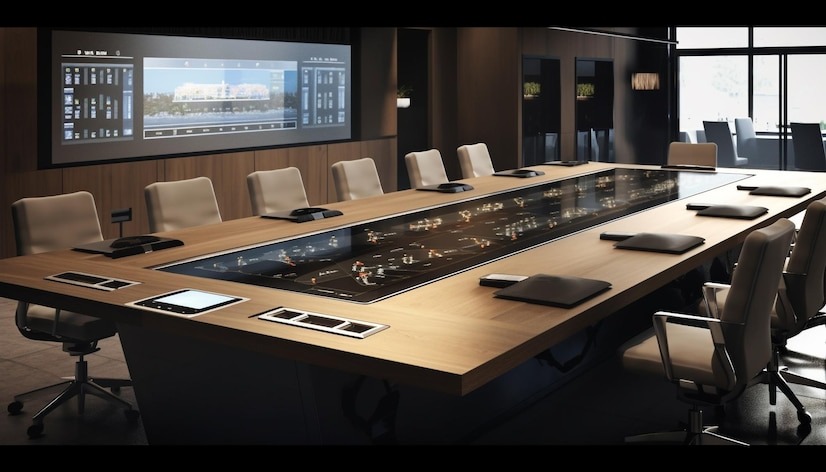
    As hybrid work becomes the standard rather than an exception, the importance of equipping boardrooms with the right technologies has never been more critical. High-definition audio-visual systems, wireless presentation tools, virtual whiteboards, and touchscreens are not merely conveniences; they are essential components that facilitate seamless communication and collaboration among leaders, regardless of their physical location. This article explores how these technologies enhance decision-making processes and foster innovation in modern business environments.

    The Shift to Hybrid Work

    The transition to hybrid work models has transformed how organizations operate. With a significant portion of the workforce working remotely, businesses must adapt their communication strategies to maintain productivity and engagement. Traditional methods such as emails and phone calls fall short in comparison to face-to-face interactions. Research shows that humans collaborate and communicate best when they can see and hear one another directly, making advanced audio-visual technologies crucial for bridging the gap between in-office and remote team members.

    Importance of High-Definition Audio-Visual Systems

    High-definition audio-visual (AV) systems play a pivotal role in creating immersive experiences during meetings. These systems ensure that conversations feel natural and engaging, preserving the dynamics of face-to-face interactions even when participants are not physically present. Key components of effective AV systems include:

    High-Resolution Displays: These displays provide clarity and detail during presentations, ensuring that all participants can engage with the material being presented13.

    Audio Solutions: Clear audio is essential for effective communication. Ceiling and table microphones strategically placed throughout the boardroom capture sound from all participants, while speakers ensure even sound distribution.

    Enhancing Collaboration with Wireless Presentation Tools

    Wireless presentation systems have revolutionized how teams share information in boardrooms. These tools allow users to connect to display systems effortlessly, enabling quick access to presentations and collaborative content sharing. This immediacy not only saves time but also reduces technical frustrations that can derail meetings. Features of effective wireless presentation tools include:

    One-Click Connectivity: Participants can join meetings or share screens with a single click, streamlining the process and enhancing engagement25.

    Compatibility with Multiple Devices: Modern systems should support various devices, allowing users to connect laptops, tablets, or smartphones seamlessly.

    Interactive Whiteboards and Touchscreens

    Interactive whiteboards and touchscreens have become integral to modern boardroom setups. These tools empower participants to annotate, brainstorm, and manipulate visuals in real-time, fostering a collaborative environment where ideas can be shared freely. Benefits include:

    Real-Time Collaboration: Teams can work together on visual projects or presentations, making it easier to develop ideas collectively.

    Enhanced Engagement: The tactile nature of touchscreens encourages participation from all attendees, making meetings more dynamic.

    The Role of Integrated Control Systems

    To maximize the effectiveness of boardroom technologies, integrated control systems are essential. These systems provide a unified interface for managing all aspects of the meeting environment—from AV equipment to lighting and climate control. Key advantages include:

    Simplified User Experience: A single touchscreen or app allows users to control multiple devices without juggling various remotes or interfaces.

    Customization for Different Meeting Types: Integrated systems can be adjusted easily for different meeting formats, enhancing flexibility and responsiveness.

    The Future of Boardroom Technology

    As technology continues to evolve, so too will the capabilities of boardroom AV solutions. Future trends may include:

    AI-Powered Features: Artificial intelligence could enhance video conferencing by automatically adjusting camera angles based on who is speaking or optimizing audio settings based on room acoustics.

    Increased Interactivity: Future AV solutions may incorporate more interactive elements that allow for deeper engagement during presentations.

    Conclusion

    In conclusion, equipping boardrooms with advanced audio-visual technologies is no longer optional; it is a necessity for organizations striving to thrive in a hybrid work environment. High-definition AV systems, wireless presentation tools, interactive whiteboards, and integrated control systems collectively create a human-centric space that fosters collaboration and innovation. By investing in these technologies, businesses can enhance communication effectiveness and drive productivity in an increasingly digital world.

    The evolution of hybrid work demands that organizations rethink their meeting spaces and embrace cutting-edge technologies that facilitate seamless interaction among team members—regardless of their location. As we move forward into this new era of work, ensuring that our boardrooms are equipped with the right tools will be paramount for success